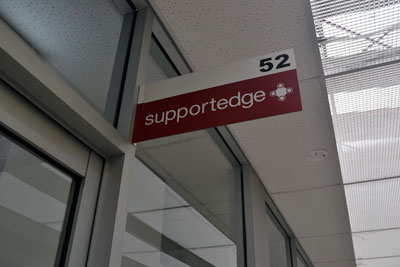
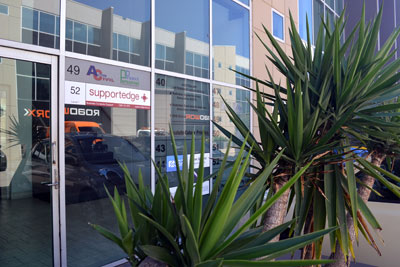
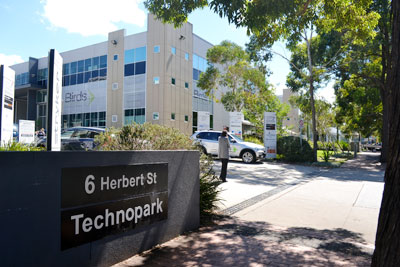
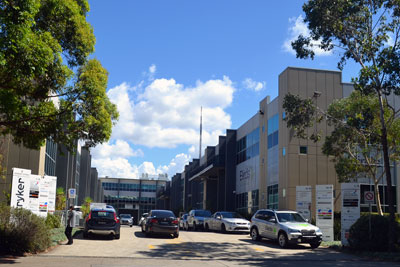
| North Shore: | Macarthur: | 52/6 Herbert Street, ST LEONARDS 2065 |
351 Oran Park Drive, ORAN PARK 2570 |
Local Call: 1300 721 576
Phone: 02 8007 2930
ua.moc.egdetroppus@troppus
| North Shore: | Macarthur: | 52/6 Herbert Street, ST LEONARDS 2065 |
351 Oran Park Drive, ORAN PARK 2570 |
Local Call: 1300 721 576
Phone: 02 8007 2930
ua.moc.egdetroppus@troppus
Question
I just purchased a new computer and it’s displaying date and time in the American format. How do I fix this?
Step 1
Open your control panel.
Step 2
If your Control Panel has ‘Pick a category’ at the top click ‘Switch to Classic Vew’ on your left. Otherwise go stright to step 3.
Step 3
Double click ‘Regional and Language Options’
Step 4
On the first screen select ‘English (Australia)’ from the top drop down menu and ‘Australia’ from the bottom menu. Now click the ‘Languages’ tab, then ‘Details’ button. Step 5
Click the ‘Add’ button.
Step 6
Select ‘English Australia’ for the drop down menu. Click ok.
Step 7
Click ‘OK’ to set the changes on the Properties screen, then click ‘Close’ to close the Internet Accounts screen. Notes
If you have more than one account in your list of mail accounts you need to repeat steps 4, 5, and 6 for each account.
Don’t forget to change it back when you get home.
No Technology Strategy? It’s Costing You Money. Everything in your business revolves around the performance of your IT. IT is the backbone on which businesses succeed, so a managed service agreement supplied by an MSP with experience is key to the success of your business, helping to streamline your IT and keep your business running efficiently for a flat cost every week. Established in 2000, Supportedge have 19 years’ experience protecting and maximising clients systems for performance. Our help desk is in Sydney and based at our St Leonards office. We also have a local presence in Cambelltown and Bankstown. Do you have doubts about your current service agreement or no service agreement at all? Are you getting what you pay for with your IT support? Call 02 8007 2930 or you can upload your current service agreement below if you have one, or just send us your contact details right now to get started on a free review. There’s no risk to you, worst case is we will be able to reassure you that you’re getting a great deal from your current provider or will be able to offer more services for less. We lower your costs with pro-active [&hellip
Do you have a computer problem? Welcome to our website. Supportedge is a specialist IT consulting company. Our aim is to give you the very best advice specific to your unique business model. We fix and maintain computer systems and networks, but that is only a small part of how we can help to give your business the technical edge. As time goes on, information technology becomes more important, so we tailor all manner of technology to the way in which you work with your goals in mind. In this respect, we see ourselves as business consultants. We believe in a partnership with our customers. Our team will get to know your business and its staff. Please, meet our team: Our core service area extends from Lane Cove to Mosman but we do have customers in all areas of Sydney. Contact us to get the best possible value out of your technology
One moment, just transferring you to our secure domain management pages. Please email us or phone 02 8007 2930 for assistance. Transferring you to domain management in 4 seconds

| North Shore: | Macarthur: | 52/6 Herbert Street, ST LEONARDS 2065 |
351 Oran Park Drive, ORAN PARK 2570 |